How to Record a Family Member's Stories From Far Away
Record family stories from far away with a simple link your loved one taps to record and send. No tech skills needed.
By Jason Marlowe 7 min read

You have been meaning to do it for years. Sit down with Dad and record the story of how he started his business. Ask Grandma about the town she grew up in before the family moved. But Dad lives four states away, Grandma is across the country, and the visits you do manage are packed with meals, errands, and catching up. The recording never happens.
For many families, distance is the reason stories go unrecorded. Video calls help you stay in touch, but they are not built for saving stories, and asking an older relative to download a recording app, create an account, and figure out where the file went is often where the effort ends.
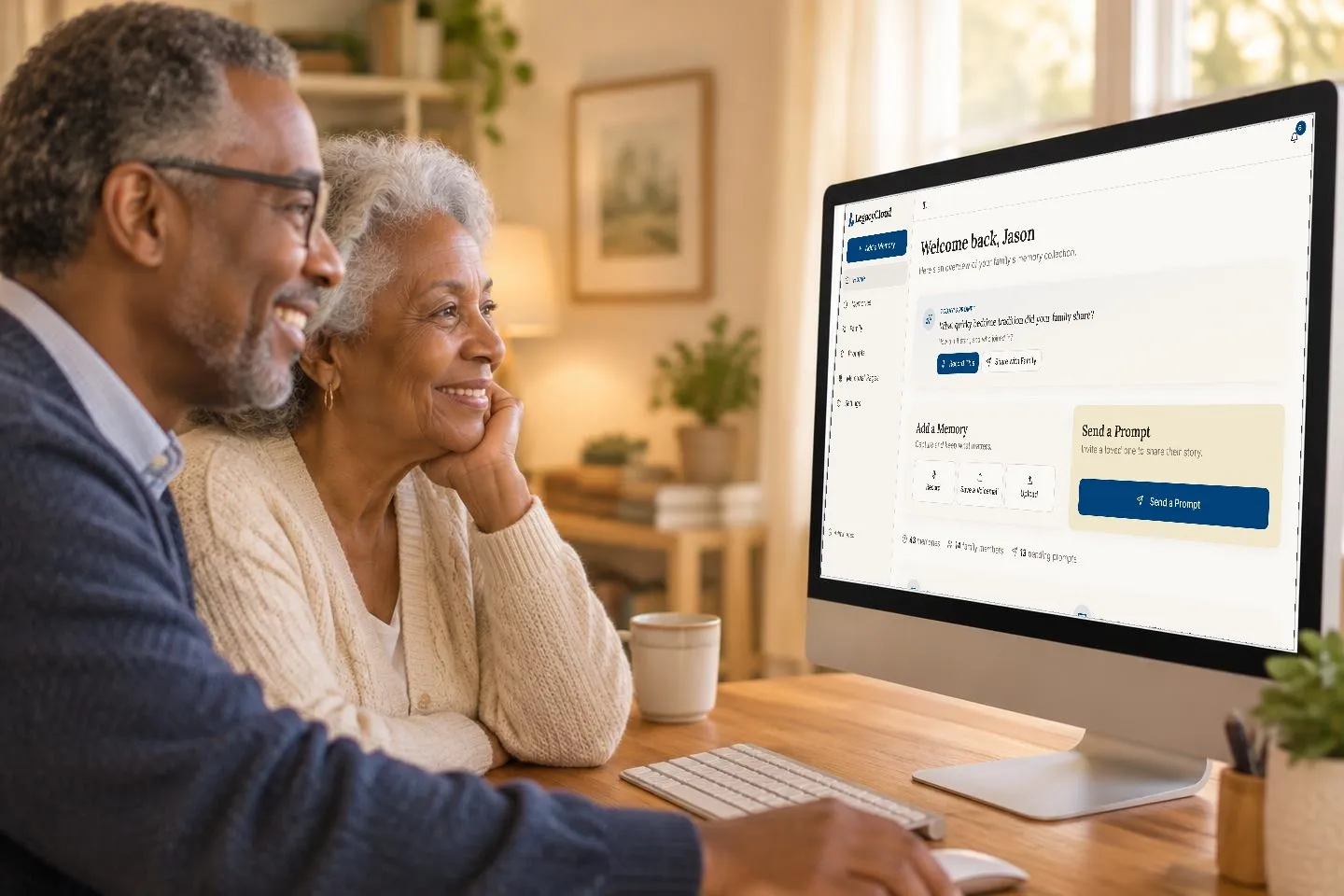
LegacyCloud solves this with a feature called Story Prompts. You choose a question, such as "What was your neighborhood like growing up?", and LegacyCloud sends it to your family member by text message or email as a simple link. They tap the link, press record, and share their answer in their own voice. There is no account for them to create and nothing complicated to learn. Their story lands directly in your family's LegacyCloud collection, organized on a timeline and ready for the whole family to hear.
This guide shows you how to record family stories from far away using LegacyCloud, which questions work best by text or email, and how to keep the stories coming so distance never stands between your family and its history.
Why Long Distance Recording Usually Stalls
The good news is that most older relatives already carry the only tool they need. According to a Pew Research Center analysis of a survey conducted in 2025, adults 65 and older are the least likely age group to own a smartphone, but 78% of them still do. In other words, a large majority of grandparents can receive a text message with a link.
The problem is rarely the phone itself. It is everything layered on top of it. Traditional ways of recording a relative remotely tend to break down at the same few points. A video call has to be scheduled across time zones and busy calendars. Someone has to remember to hit record and then figure out where the file was saved. Recording apps ask the storyteller to install something, make an account, and remember a password. And once a recording exists, it often sits on one person's phone, where the rest of the family never hears it.
Each of those steps is small, but together they add up to friction, and friction is what turns "we should really record Grandpa's stories" into a plan that never happens.
LegacyCloud was designed to remove that friction. It was built specifically for seniors and non technical users, with large buttons, clear text, and simple navigation. When you send a Story Prompt, your relative does not need to schedule a call or sign up for anything. They answer when it suits them, whether that is right away or on a quiet Sunday afternoon, and their story arrives in your collection automatically. LegacyCloud was made with relatives in their 70s, 80s, and beyond in mind.
How to Send a Story Prompt With LegacyCloud
Sending your first Story Prompt takes just a few steps. Here is the whole process from your side and theirs.
Create your LegacyCloud account. Start a free trial at thelegacycloud.com. No credit card is needed, and LegacyCloud works in the web browser on your phone, tablet, or computer.
Add your relative to your family tree. The family tree is optional, but adding the person you want to hear from gives their stories a home in your collection.
Choose a question. Pick a prompt from LegacyCloud's prompt library or write your own. A specific question works better than a broad one, so "What was your first car?" will get a better story than "Tell me about your life."
Send it by text or email. LegacyCloud delivers your question as a simple link. A quick personal note from you, such as "I would love to hear this in your voice," makes the request feel warm rather than like a chore.
Your relative taps the link and records. They open the link, press record, and share their story. They do not need a LegacyCloud account.
The story lands in your collection. Their answer is added to your family's collection automatically and organized on your timeline.
Listen, share, and say thank you. Play the recording, choose who in the family can hear it using LegacyCloud's sharing settings, and let your relative know how much it meant. That thank you is what gets the next story recorded.
If your relative would rather tell the story to you in person, save the question for your next visit. Open LegacyCloud on your phone, press the record button, and capture the conversation right there at the kitchen table.
Story Prompts That Work Well by Text or Email
A question delivered by text has to do a lot of work on its own, because you are not there to clarify or follow up. The best remote prompts are specific, easy to start answering, and tied to a vivid memory. Here are ten to try, ordered roughly from light to deep.
What was your favorite holiday tradition growing up?
What was your neighborhood like when you were a kid?
What was your first job, and what did it pay?
What was the first car you owned, and where did you drive it?
What did your family eat for Sunday dinner?
What song takes you right back to being a teenager?
How did you meet the person you married?
What do you remember about the day your first child was born?
What is the hardest thing you ever got through, and who helped you?
What advice would you give to your great grandchildren?
Start with the lighter questions and work toward the deeper ones over several weeks. An easy first prompt helps your relative get comfortable with recording, and each good experience makes the next, more personal question feel natural. If you need more ideas, LegacyCloud shows a fresh prompt every day and includes a full prompt library you can browse whenever you like.
Tips to Keep the Stories Coming
One recorded story is wonderful. A steady stream of them, collected over months, becomes a family history. A few habits make the difference.
Set a gentle rhythm. Sending a new prompt every week or two keeps the habit alive without making it feel like homework. Pick a regular day, such as Sunday evening, so your relative starts to look forward to it. LegacyCloud's daily prompt makes it easy to find a fresh question each time.
Respond to every story. Listen soon after a recording arrives and reply with something specific, such as "I never knew you drove a tractor at twelve!" A personal reaction tells your relative their stories matter, and it often gives you the follow up question for next time.
Ask follow up questions. The first answer to a prompt is often the outline of a bigger story. If your grandmother mentions a job at a diner, send a new prompt asking about the regulars, the owner, or the night something went wrong. LegacyCloud makes this easy, because you can write your own prompt any time.
Involve the rest of the family. Remote recording works best when it is not one person's project. Invite siblings, cousins, and grandchildren to listen in LegacyCloud and add their own memories. Ask the grandchildren to suggest questions, then send them as prompts with a note saying who asked. A question from a grandchild can be hard to resist.
Protect what you gather. Choose a Legacy Contact from your family tree so the collection stays with the family no matter what, and download a full backup from Settings now and then. The stories your relative records from hundreds of miles away deserve to last as long as the memories themselves.
Distance Does Not Have to Mean Lost Stories
You do not need to wait for the next long visit to start recording your family's history. With LegacyCloud Story Prompts, one question and one link are all it takes. Your relative answers in their own voice, on their own time, from wherever they are, and the story is saved for everyone who loves them.
Pick one person you have been meaning to record. Choose one easy question from the list above. Send it this week. When their answer arrives, you will likely want to send the next one. For more question ideas, see our guide to questions to ask your grandparents.
Start your free trial of LegacyCloud, no credit card needed, and send your first Story Prompt today.